Industry / 8 min read
FMCG distributor billing and dispatch guide
How FMCG distributors can manage orders, credit parties, dispatch, routes, and branch-wise stock.

Quick answer for shop owners
If you searched for FMCG distributor software, you are probably trying to solve a real shop problem, not read accounting theory. This guide is written for FMCG distributors managing retailer orders, dispatch, route sales, party credit, and GST invoices. It focuses on the decision a busy owner or staff member must make at the counter: what should be entered, what should happen automatically, and what should be reviewed later.
The main risk is that distribution billing is not only invoice creation; it includes order capture, stock allocation, dispatch, route follow-up, and collection. That creates double work. One person creates the bill, another updates stock, a third sends a reminder, and the owner still has to ask whether the GST report is ready. The better approach is to connect the first action to every follow-up record.
The short recommendation is this: use a workflow that links order, invoice, dispatch, payment, and party balance instead of separate sheets for each step. Start with a small setup, test it on one real sale, and only then expand the workflow to more products, customers, staff, or branches.
What a good workflow should do
A good FMCG dispatch workflow should feel fast for staff and dependable for the owner. It should not ask for unnecessary accounting terms during a rush, but it should still capture the fields needed for GST, inventory, customer follow-up, and reports.
The workflow should also protect the business from memory-based decisions. When prices, tax rates, stock levels, due amounts, and payment status live in separate places, the owner loses time checking the same information repeatedly. A connected workflow keeps the daily action and the end-of-day review aligned.
Orders and dispatch must stay connected
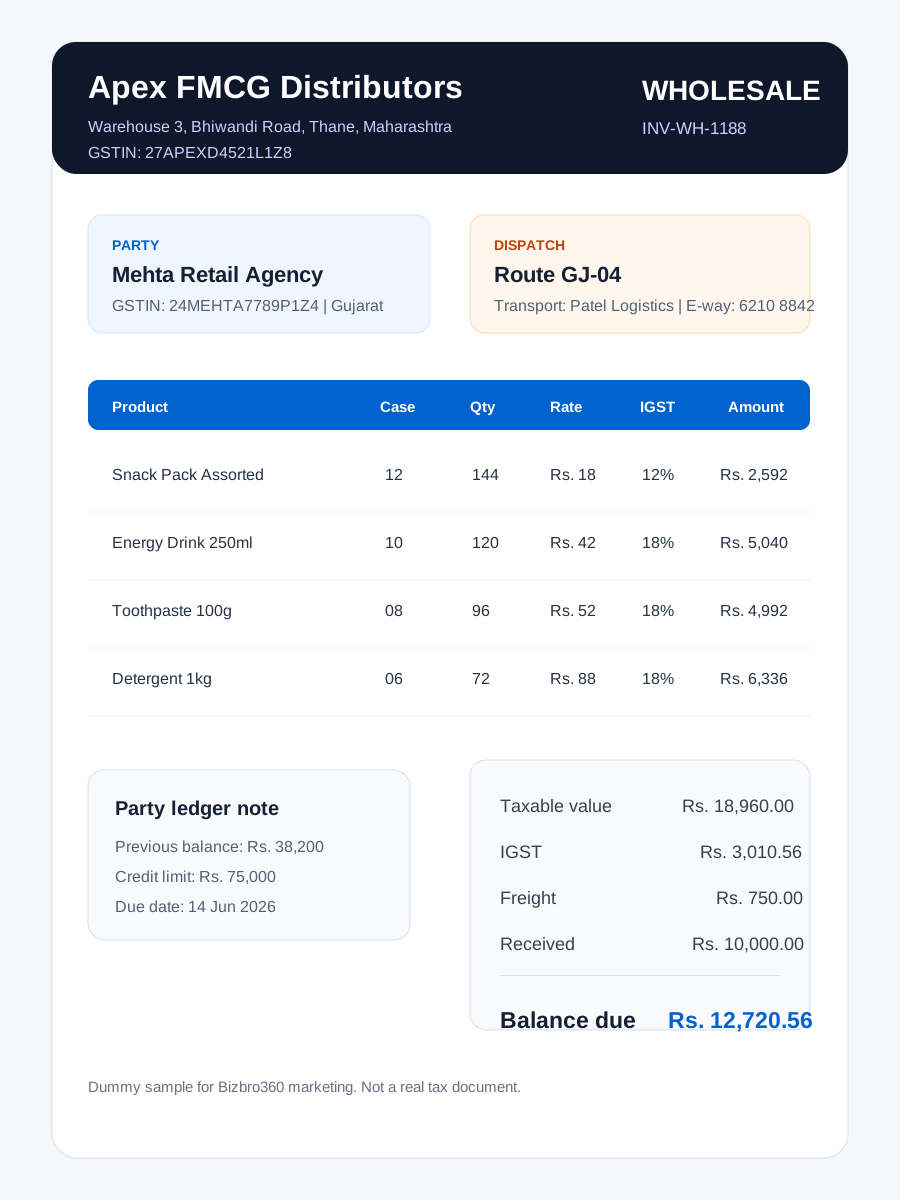
Distributors need to know what was ordered, billed, dispatched, delivered, and still pending.
For FMCG distributors managing retailer orders, dispatch, route sales, party credit, and GST invoices, this point matters because distribution billing is not only invoice creation; it includes order capture, stock allocation, dispatch, route follow-up, and collection. The format, tool, or workflow should reduce repeat typing and make the next action obvious for the person standing at the counter.
In Bizbro360 terms, the practical test is simple: after this step, the owner should be able to see what changed in the invoice, stock, customer balance, payment status, or report without opening another register.
Credit limits protect cash flow
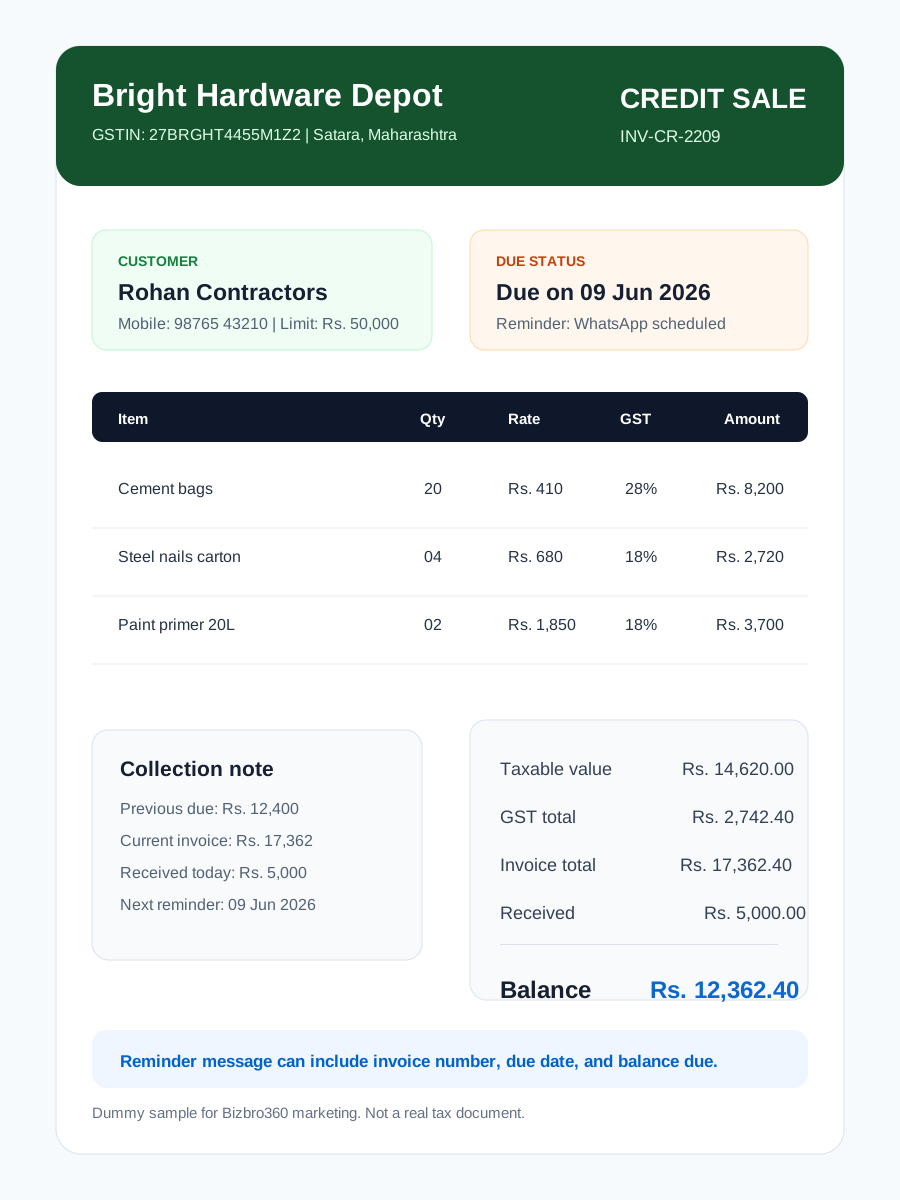
Party-wise credit limits help teams decide whether a new order should be accepted or collected first.
For FMCG distributors managing retailer orders, dispatch, route sales, party credit, and GST invoices, this point matters because distribution billing is not only invoice creation; it includes order capture, stock allocation, dispatch, route follow-up, and collection. The format, tool, or workflow should reduce repeat typing and make the next action obvious for the person standing at the counter.
In Bizbro360 terms, the practical test is simple: after this step, the owner should be able to see what changed in the invoice, stock, customer balance, payment status, or report without opening another register.
Branch and route reports improve control
Reports by branch, route, salesman, and party make distribution follow-up easier.
For FMCG distributors managing retailer orders, dispatch, route sales, party credit, and GST invoices, this point matters because distribution billing is not only invoice creation; it includes order capture, stock allocation, dispatch, route follow-up, and collection. The format, tool, or workflow should reduce repeat typing and make the next action obvious for the person standing at the counter.
In Bizbro360 terms, the practical test is simple: after this step, the owner should be able to see what changed in the invoice, stock, customer balance, payment status, or report without opening another register.
Step-by-step setup checklist
Do not try to perfect the entire system before using it. The fastest rollout is to choose a narrow workflow, run it with real data, and improve after staff understand the habit. This keeps setup practical for small shops that cannot stop billing for a long migration.
Use the checklist below as the first implementation pass. It is deliberately small enough to finish quickly, but complete enough to reveal whether the workflow is ready for daily use.
Example day in the shop
A distributor can bill one retailer, print or share dispatch details, track route performance, and check whether the party is within credit limit before the next order.
At opening time, the owner checks products, customer balances, and any pending follow-ups. During billing, staff should only enter the details needed for the sale. At closing time, the owner should be able to review invoices, payments, stock changes, and dues without collecting notes from multiple people.
This is where software creates leverage. The first invoice or stock entry is not valuable only because it records one transaction. It is valuable because it updates the next decision: what to reorder, whom to remind, which customer bought what, and what the accountant needs later.

Common mistakes to avoid
Most setup failures happen because the shop copies an old manual process into a new tool without simplifying it. If staff still maintain a diary, spreadsheet, chat note, and software entry for the same transaction, the tool will feel slower than paper.
Avoid these mistakes in the first week. They are small individually, but together they make reports unreliable and reduce trust in the system.
- Maintaining orders, invoices, and dispatch lists separately.
- Not checking credit limit before fresh dispatch.
- Recording stock after dispatch instead of during billing.
- Ignoring salesman or route performance.
- Letting returns and damaged goods stay outside inventory records.
When to upgrade from a basic setup
A trial or starter workflow should prove value before the shop pays for more. Upgrade pressure usually appears when the number of invoices, products, staff members, branches, credit customers, or reports grows beyond what one person can manage manually.
Use upgrade triggers as business signals, not as a sales checklist. If a paid feature saves owner time, improves collections, prevents stockouts, or helps staff work independently, it is worth considering. If the shop is still testing the habit, keep the setup simple.